

Using AI for Bookkeeping Questions? Protect Your Business Information
Learn how to use AI tools like ChatGPT for bookkeeping questions while protecting sensitive business and financial information. Discover what not to share, how to ask questions safely, and which privacy settings to review.
Artificial intelligence tools like ChatGPT are becoming part of everyday business.
You might use AI to help write an email, brainstorm marketing ideas, explain a financial term, or answer a bookkeeping question.
These tools can be helpful and save time. But when you're asking questions about your business finances, there's something else to consider:
How much information are you sharing to get the answer you need?
In many cases, you don't need to provide detailed financial records or identifying information to ask a useful bookkeeping question.
AI Can Be Helpful for General Bookkeeping Questions
There are plenty of bookkeeping questions you can ask without sharing confidential information.
For example:
What is the difference between an expense and an asset?
What does accounts receivable mean?
How does a Profit & Loss Statement differ from a Balance Sheet?
What information should I review before categorizing a transaction?
Why is reconciling my bank account important?
Questions like these generally don't require AI to know who you are, where you bank, who your employees are, or your account numbers.
Give the AI enough information to understand the question—but not more information than it needs.
Be Careful About What You Upload or Paste Into AI
It can be tempting to take a screenshot from your accounting software or upload a financial document and ask AI to explain it.
Before doing that, stop and look at what information is included.
Avoid unnecessarily sharing sensitive information such as:
Social Security numbers
Bank account and routing numbers
Credit card numbers
Passwords or login credentials
Employee payroll information
Customer payment information
Personal identifying information
Tax documents containing confidential information
Other sensitive financial records
The same caution applies to screenshots. A screenshot may contain account numbers, customer names, balances, employee information, or other details you weren't thinking about when you took it.
Take a few seconds to review what you're sharing first.
Ask the Question Without Identifying the Business
Often, you can simply remove the identifying information.
Instead of uploading an entire bank statement and asking:
“How should I categorize this transaction?”
You could ask:
“My plumbing business paid $450 to repair one of our service trucks. What type of bookkeeping category would normally be considered for this expense?”
The second question provides useful context without supplying the company's bank statement, account number, or other transactions.
You can use the same approach with many bookkeeping questions.
Describe the situation. Remove names and account numbers. Share only the information that's relevant to the question.
AI Doesn't Know Everything About Your Business
There is another reason to be careful when using AI for bookkeeping.
AI can provide general information, but it doesn't automatically know how your books are set up, how your business operates, or why a particular transaction occurred.
Two transactions that look similar may need to be recorded differently depending on the purpose of the transaction and the circumstances of the business.
AI can also misunderstand a question or provide an answer that doesn't fit your particular situation.
AI-generated information can also be incomplete, outdated, or incorrect, even when the answer sounds confident.
That's why I recommend treating AI as a tool—not the final decision-maker for your books.
Before changing an account, adjusting a transaction, or making another bookkeeping decision based on an AI response, make sure the recommendation makes sense for your business.
When you're unsure, ask your bookkeeper, accountant, or CPA.
Don't Forget Your AI Privacy Settings
If you use an AI service for business, take some time to understand its privacy and data settings.
Privacy and data practices vary by AI service, account type, and the settings you choose. Before using an AI tool for business, take a few minutes to understand how the service handles the information you provide.
Before using an AI tool with business information:
Review the service's privacy and data controls.
Understand what information may be stored.
Use the privacy settings available to you.
Limit the information you provide to what's actually necessary.
And remember that privacy policies and technology can change. It's a good idea to review your settings periodically rather than assuming they have stayed the same.
Use AI—Just Use It Thoughtfully
AI can be a valuable tool for a small business owner. You don't have to avoid it because you're concerned about your financial information.
The better approach is to use it thoughtfully.
Ask general questions. Remove identifying information. Don't share sensitive financial details unnecessarily. And review the answers before making changes to your books.
Technology can make running a business easier, but good financial information still depends on careful review and good bookkeeping practices.
Better books. Better decisions. Better business.
Sources

How to Keep Your QuickBooks Online Transactions Clean and Accurate
Clean transactions are the foundation of reliable financial reports. Learn how to keep your QuickBooks Online transactions accurate by reviewing uncategorized items, checking suggestions before accepting them, watching for duplicates, and building a simple weekly review routine.
QuickBooks Online can save business owners a lot of time. Connected bank feeds can bring transactions into QuickBooks automatically, and the software can suggest categories and matches based on the information available.
But automation doesn't eliminate the need to review your books.
For contractors and field service business owners, a transaction that is entered twice, placed in the wrong category, or assigned incorrectly can affect the financial reports you rely on to understand your business.
The good news is that you don't have to wait until the end of the month to find these problems. A short review each week can help keep your QuickBooks file cleaner and make month-end bookkeeping easier.
1. Why Clean Transactions Matter
Every transaction entered into QuickBooks eventually becomes part of your financial records.
How those transactions are recorded affects reports such as your Profit & Loss Statement and Balance Sheet. If an expense is categorized incorrectly, for example, the total amount of your expenses may still appear correct while the individual expense categories are wrong.
That can make it harder to understand where your money is actually going.
For contractors, accurate transaction details can become even more important when you're using QuickBooks to track costs associated with customers or projects. You want the information going into QuickBooks to be as accurate as possible so the reports coming out of it are useful.
Think of it this way:
Clean books start with clean transactions.
2. Review Uncategorized Transactions Weekly
One of the easiest bookkeeping habits to establish is reviewing transactions that still need attention each week.
When transactions are downloaded from a connected bank or credit card account, QuickBooks may suggest categories based on information from the bank and how similar transactions have been categorized in the past. Those suggestions should still be reviewed before they are posted to your books.
Waiting several weeks—or several months—to deal with questionable transactions can also make the process more difficult.
You may recognize a $247 purchase from a supplier today. Three months from now, you may not remember whether you purchased materials for a customer job, shop supplies, equipment, or something else.
During your weekly review, look for transactions that:
Still need to be categorized
Have an unfamiliar vendor or description
May need to be assigned to a customer or project
Could be a transfer between accounts rather than an expense
May already exist elsewhere in QuickBooks
If you're unsure about a transaction, don't guess simply to clear it from your list. Take the time to research it while the purchase is still relatively fresh.
3. Review Before Accepting QuickBooks Suggestions
QuickBooks Online can suggest categories for downloaded bank transactions and can also identify potential matches to transactions already recorded in QuickBooks.
These features can save time, but a suggestion is still something you should review.
Before accepting a transaction, ask:
Is the vendor correct?Make sure you recognize the business and know what was purchased.
Is the category appropriate?A vendor doesn't necessarily determine the accounting category. You may purchase different types of items from the same business.
Does this transaction already exist in QuickBooks?If it does, you may need to match the downloaded bank transaction to the existing transaction rather than add another one.
Should it be connected to a customer or project?If you are tracking project costs, review whether the transaction needs additional information so it appears where you expect it in your records.
QuickBooks specifically instructs users to review suggested matches before posting them. Matching a downloaded transaction to an existing QuickBooks record helps prevent the same activity from being recorded twice.
Automation is helpful. Review is what makes automation useful.
4. Be Careful With AI and Automated Bookkeeping
Artificial intelligence is becoming part of more accounting and bookkeeping software, including tools designed to suggest matches, categorize transactions, and assist with reconciliation.
These tools can be helpful, but they shouldn't replace your judgment or the review of your financial records.
An automated system works with the information available to it. It may recognize patterns in previous transactions, vendor information, amounts, dates, and other data, but it may not know the complete business purpose behind a transaction.
For example, suppose a contractor regularly purchases materials from a home improvement store. One week's purchase might be job materials, another might be new equipment, and another could be supplies used in the office or shop.
The vendor may be the same. The proper accounting treatment may not be.
The same principle applies when using a separate AI agent to help with bookkeeping. Don't give an AI tool instructions and assume everything it changes, categorizes, or recommends is automatically correct.
Instead, use AI and automation as tools to make the process more efficient while maintaining appropriate human review.
Pay particular attention to:
Transaction categories
Suggested matches
Transfers between accounts
Customer or project assignments
Unusual or unfamiliar transactions
Changes made automatically through rules or other automated processes
If you don't understand why a transaction has been recorded a certain way, investigate it before assuming the software got it right.
5. Watch for Duplicate Transactions
Duplicate transactions can cause significant problems because they can make income or expenses appear higher than they actually are.
One common situation occurs when a transaction is already recorded in QuickBooks and the same transaction later downloads through the bank feed.
That's why understanding the difference between adding and matching transactions is important.
If the transaction already exists in QuickBooks, the downloaded transaction may need to be matched to the existing record. If you add it as a new transaction instead, you can create a duplicate.
QuickBooks also notes that duplicate bank-feed transactions can sometimes occur when transactions are manually uploaded and later downloaded automatically from the financial institution.
Before adding a transaction, stop and check:
Is this actually a new transaction, or is QuickBooks showing me bank activity that I've already recorded?
If you're not sure, investigate before clicking Add or Post.
6. How Inaccurate Transactions Affect Your P&L
Your Profit & Loss Statement summarizes the income and expenses recorded in your books over a particular period.
That means the quality of your P&L depends, in part, on the quality of the transactions behind it.
Suppose you accidentally record a $1,500 material purchase twice.
Your expenses could be overstated by $1,500, which would also understate the profit shown on your P&L by that amount.
Incorrect categorization can create a different problem.
If the total expense is recorded but placed in the wrong account, your overall expense total may be correct while the individual categories aren't. That can make it harder to evaluate spending patterns or understand certain costs of running the business.
This is why looking only at the bottom line isn't enough.
When reviewing your P&L, look at the individual income and expense categories too. If something seems unusually high, unusually low, or simply doesn't make sense based on what happened in the business, take a closer look at the transactions behind the number.
7. Make Transaction Review Part of Your Weekly Routine
Keeping your QuickBooks transactions clean doesn't have to mean spending hours on bookkeeping every week. The key is reviewing your books consistently instead of allowing questions and problems to accumulate until the end of the month—or longer.
If you've already started using my 30-Minute Weekly Bookkeeping Routine, transaction review fits naturally into that process. Set aside a few minutes each week to work through the transactions that need your attention while the activity is still fresh in your mind.
My Weekly Bookkeeping Checklist can also help you stay consistent. It gives you a simple process to follow each week so you're not trying to remember what needs to be reviewed every time you log in to QuickBooks.
Read: The 30-Minute Weekly Bookkeeping Routine for Contractors and Field Service Businesses
Download: 30-Minute Weekly Bookkeeping Checklist
Regular weekly attention won't replace your month-end bookkeeping and reconciliation, but it can help keep your records organized and make it easier to address questions before they pile up.
And if you'd rather spend those 30 minutes running your business instead of reviewing QuickBooks, that's where I can help.
Reliant Ledger provides QuickBooks Online bookkeeping, financial reporting, and job costing support for contractors and field service businesses. Schedule a complimentary discovery call to learn how I can help you keep your books organized and provide the financial information you need to make informed business decisions.
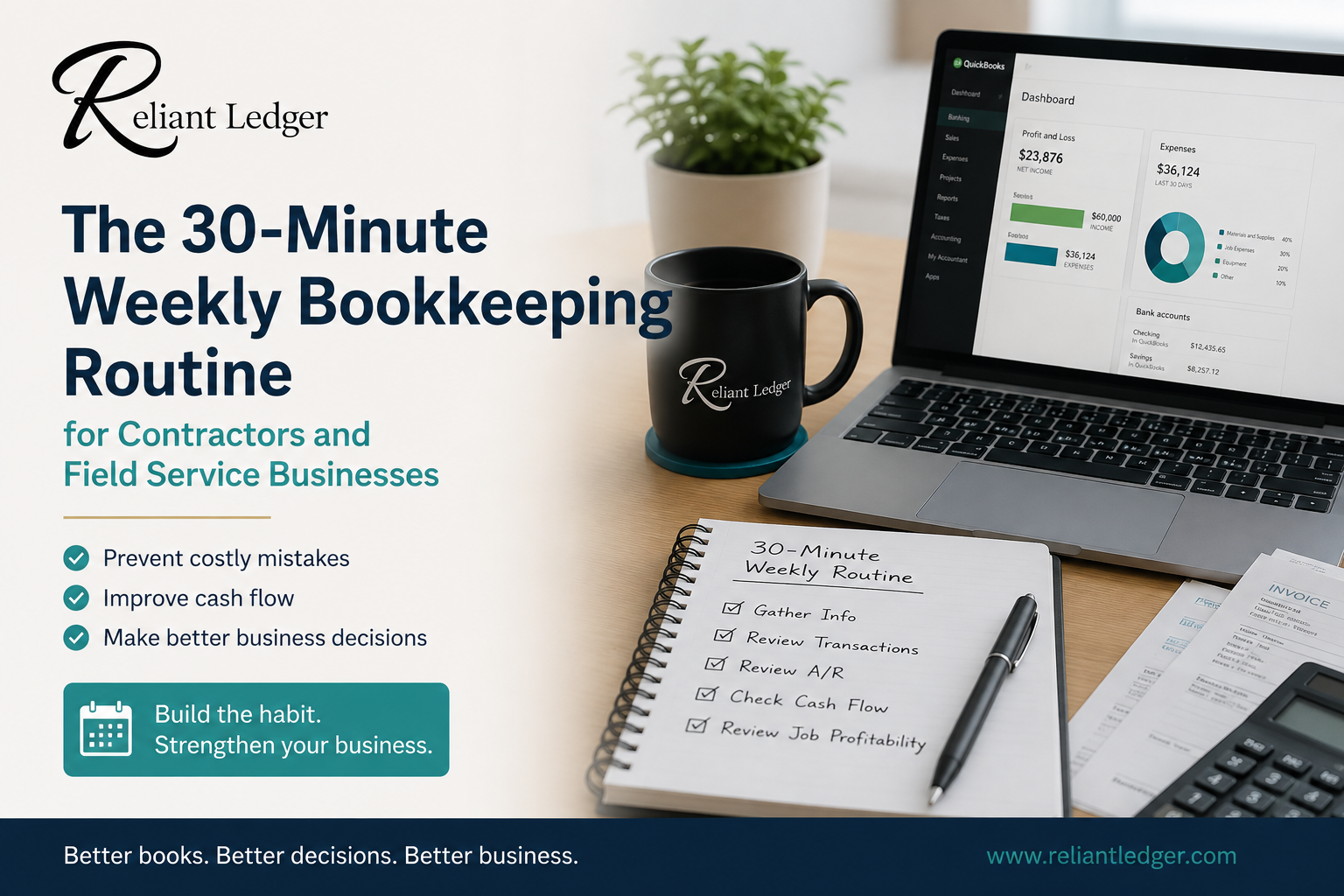
The 30-Minute Weekly Bookkeeping Routine for Contractors and Field Service Businesses
Learn a simple 30-minute weekly bookkeeping routine designed for contractors and field service businesses. Improve cash flow, stay tax-ready, and keep your books organized with easy weekly habits.
Service Industry Insights
For many contractors and field service business owners, bookkeeping tends to fall into one of two categories:
It gets done at tax time.
It gets done when there's a problem.
Neither approach works very well.
When bookkeeping gets pushed aside for months, it becomes overwhelming. Receipts pile up. Transactions go uncategorized. Bank balances become questionable. Tax season becomes stressful.
The good news is that maintaining clean books doesn't require hours every week.
In fact, many small business owners can stay on top of their finances with a simple 30-minute weekly bookkeeping routine.
A little consistency each week can prevent major cleanup projects later.
Why Weekly Is Better Than Monthly
Many business owners wait until the end of the month to review their finances.
The problem is that by then:
Missing receipts are harder to find
Billing delays have already impacted cash flow
Bank errors may go unnoticed
Customer payments may already be overdue
A weekly routine keeps small issues from becoming large problems.
Think of it like preventative maintenance for your business finances.
The First 5 Minutes: Gather Your Financial Information
Start by collecting:
Bank account information
Credit card transactions
Receipts
Vendor invoices
Customer payments received
If you're using QuickBooks Online, much of this information may already be imported through bank feeds.
The goal is simply to make sure everything is available before you begin.
The Next 10 Minutes: Review and Categorize Transactions
Now review the week's activity.
Ask:
Is every transaction categorized correctly?
Were any personal expenses accidentally charged to the business?
Are all customer payments recorded?
Are there any duplicate transactions?
This step helps ensure your Profit & Loss report remains accurate throughout the year.
Small mistakes are easy to fix now.
They're much harder to fix six months from now.
The Next 5 Minutes: Review Accounts Receivable
Money owed to your business deserves attention every week.
Review:
Outstanding invoices
Overdue balances
Recent customer payments
Ask yourself:
Has every completed job been invoiced?
Are any invoices becoming overdue?
Do customers need payment reminders?
One of the easiest ways to improve cash flow is simply following up on unpaid invoices consistently.
The Next 5 Minutes: Check Cash Flow
You don't need a complicated forecast.
Simply review:
Current bank balance
Upcoming payroll
Vendor payments due
Large expenses expected soon
This quick review can help identify cash shortages before they become emergencies.
Many business owners discover that a 5-minute review saves hours of financial stress later.
The Final 5 Minutes: Review Job Profitability
If you're tracking jobs, spend a few minutes reviewing:
Labor costs
Material costs
Subcontractor expenses
Progress toward completion
Ask:
Are jobs staying within budget?
Are any projects losing money?
Do pricing adjustments need to be made?
The sooner you identify profitability problems, the easier they are to correct.
What Happens When You Skip This Routine?
When bookkeeping gets postponed:
Invoices go unsent
Customer payments slow down
Receipts disappear
Tax preparation becomes stressful
Financial reports become unreliable
Many bookkeeping cleanup projects begin with a simple problem:
"I got busy and stopped looking at my books."
A Weekly Habit That Builds Better Businesses
Successful contractors don't necessarily spend more time on bookkeeping.
They spend time consistently.
Thirty minutes each week can help you:
Maintain clean books
Improve cash flow
Stay tax-ready
Understand profitability
Make better business decisions
Consistency beats catch-up every time.
The Bottom Line
Bookkeeping doesn't have to take over your life.
A simple 30-minute weekly routine can help you stay organized, reduce financial stress, and maintain better visibility into your business.
Small habits create big results.
Better books. Better decisions. Better business.

The Simplest Job Costing System for Small Contractors
Service Industry Insights
Many contractors know whether they are busy.
Far fewer know whether they are actually making money on each job.
At the end of the month, the bank account may be lower than expected. The schedule may be full, yet profits seem difficult to find.
The problem often comes down to one thing:
You can't improve what you don't measure.
That's where job costing comes in.
The good news is that job costing doesn't have to be complicated. You don't need expensive software or a full accounting department. A simple system can help you understand which jobs are profitable, which jobs need improvement, and whether your pricing is working.
What Is Job Costing?
Job costing is simply the process of tracking the income and expenses associated with a specific job or project.
For every job, you want to answer one question:
Did this job make money?
To answer that question, you need to compare:
Job Revenue
Labor Costs
Material Costs
Subcontractor Costs
Equipment and Other Direct Costs
The difference between your revenue and direct job costs is your gross profit for that job. Many contractors refer to this as "job profit," but gross profit is the accounting term you'll commonly see on financial reports.
Why Job Costing Matters
Without job costing, most contractors are forced to rely on guesswork.
You may know your company made money last month.
But do you know:
Which jobs were most profitable?
Which jobs lost money?
Whether your pricing is accurate?
Whether material costs are increasing?
Whether labor is taking longer than estimated?
Job costing provides answers.
It helps you make better decisions about pricing, estimating, staffing, and growth.
The Five Numbers Every Contractor Should Track
The simplest job costing system starts with five key categories.
1. Revenue
For a simple job costing system, start by tracking the amount billed (or earned) for the job. More advanced accounting methods may recognize revenue differently, but this approach works well for many small contractors.
Examples:
Service call invoice
Remodel contract
New installation project
Commercial maintenance agreement
Record the amount billed (or earned, depending on how you recognize revenue) for the job.
2. Labor
Labor is often one of the largest job costs.
Include:
Employee wages
Payroll taxes (when practical)
Labor hours worked
For a simple system, start by tracking employee wages and hours worked. As your business grows, consider including payroll taxes, workers' compensation, employee benefits, and other payroll costs to better reflect the true cost of labor.
Example:
Two technicians worked 8 hours each at $25 per hour.
16 hours × $25 = $400
3. Materials
Track materials used specifically for that job.
Examples:
Lumber
Pipe
Electrical supplies
HVAC equipment
Landscaping materials
Always assign material purchases to the appropriate job whenever possible. Materials purchased for general inventory should be assigned to the job when they are actually used, not simply when they are purchased.
4. Subcontractors
Examples:
Electrical subcontractor
Plumbing subcontractor
Drywall contractor
Concrete contractor
Track payments made to outside companies or individuals hired to complete work on a specific job.
5. Other Direct Costs
These are costs that can be traced directly to one specific job but don't fit into labor, materials, or subcontractors.
Examples include:
Equipment rental
Dumpster rental
Permit fees
Disposal fees
Job-specific fuel charges
Specialized tools rented for one project
If the expense exists because of that specific job, it belongs in direct job costs.
A Simple Job Costing Example
Let's say you complete a small HVAC installation.
Revenue:
$8,000
Labor:
$2,500
Materials:
$2,000
Equipment Rental:
$300
Total Direct Costs:
$4,800
Gross Profit:
$3,200
Gross Margin:
$3,200 ÷ $8,000 = 40%
Gross Profit = Revenue − Direct Job Costs
Gross Margin = Gross Profit ÷ Revenue
Gross profit tells you how many dollars the job generated before overhead expenses, while gross margin expresses that amount as a percentage of revenue.
This job generated a 40% gross margin before overhead expenses, meaning 40 cents of every dollar earned remained to cover overhead and contribute to net profit.
Now you have meaningful information you can compare to future jobs.
Don't Forget Overhead
One of the biggest mistakes contractors make is assuming gross profit equals company profit.
It doesn't.
Your business still has expenses that support every job.
Examples include:
Office rent
Insurance
Software subscriptions
Phones
Bookkeeping
Advertising
General vehicle expenses that cannot reasonably be assigned to a specific job
These costs are known as overhead.
A simple job costing system doesn't require you to allocate every overhead expense to every job.
However, you should understand that overhead must ultimately be covered by your gross profit.
This is one reason many contractors underprice their work without realizing it.
The Spreadsheet Method
Many small contractors can start with a simple spreadsheet.
Create columns for:
Job Name
Revenue
Labor Cost
Material Cost
Subcontractor Cost
Other Direct Costs
Total Direct Costs
Gross Profit
Gross Margin %
Update the spreadsheet as jobs are completed.
After several months, patterns begin to emerge.
You'll quickly see which jobs generate the strongest profits.
Reviewing Your Numbers
Job costing is only useful if you review it.
At least once per month, ask:
Which jobs were most profitable?
Which jobs had cost overruns?
Which jobs took longer than expected?
Are material costs increasing?
Are estimates accurate?
Small improvements in estimating, pricing, labor efficiency, or material purchasing can significantly improve profitability over time.
Common Job Costing Mistakes
Not Tracking Labor
Many contractors track materials but forget labor.
Labor is often one of the largest project costs.
Waiting Until Year-End
Job costing works best when reviewed regularly.
Waiting until tax season eliminates the opportunity to correct problems.
Ignoring Small Costs
Equipment rentals, permits, disposal fees, and other direct job costs all affect profitability. Even relatively small expenses can reduce the profit on a job if they aren't tracked.
General vehicle expenses that support the entire business are typically treated as overhead unless they can reasonably be assigned to a specific job.
Small costs add up quickly.
Looking Only at Revenue
Revenue is important.
Profitability is more important.
A $20,000 job with poor margins may contribute less profit than a $10,000 job with strong margins.
Start Simple
Many contractors avoid job costing because they believe it requires complicated software or advanced accounting knowledge.
It doesn't.
Start with five categories:
Revenue
Labor
Materials
Subcontractors
Other Direct Costs
Track them consistently.
Review them monthly.
Look for trends.
As your business grows, your system can become more sophisticated.
But even a simple job costing system is far better than no system at all.
Remember that job costing is a management tool—not just an accounting exercise. The goal isn't to create perfect reports. The goal is to understand which jobs are making money so you can make better pricing, estimating, and scheduling decisions.
Ready to Start Tracking Job Profitability?
You've learned the basics of job costing—now put them into practice.
Download the Free Excel Job Costing Spreadsheet created for small contractors and field service businesses. It's the same simple system described in this article and is designed to help you understand which jobs are actually making money.
The Bottom Line
Job costing helps contractors understand where their profits come from and where they disappear.
You don't need complicated reports or expensive software to get started.
A simple system that tracks revenue, labor, materials, subcontractors, and other direct job costs can provide valuable insight into your business.
The contractors who consistently measure their job costs are better equipped to price future work accurately, protect their profit margins, and build stronger businesses over time. After all, you can't improve what you don't measure.
Better books. Better decisions. Better business.